★ 0.0
Complete beginner
I have never played before. I hold the racket awkwardly, and I would rather catch the ball than hit it. I do not know the rules yet.
A Delpa activity is the basic building block of the Delpa App platform. Every match you play and every activity you record can become part of your progress. Share your activities with other players and improve faster than ever before.
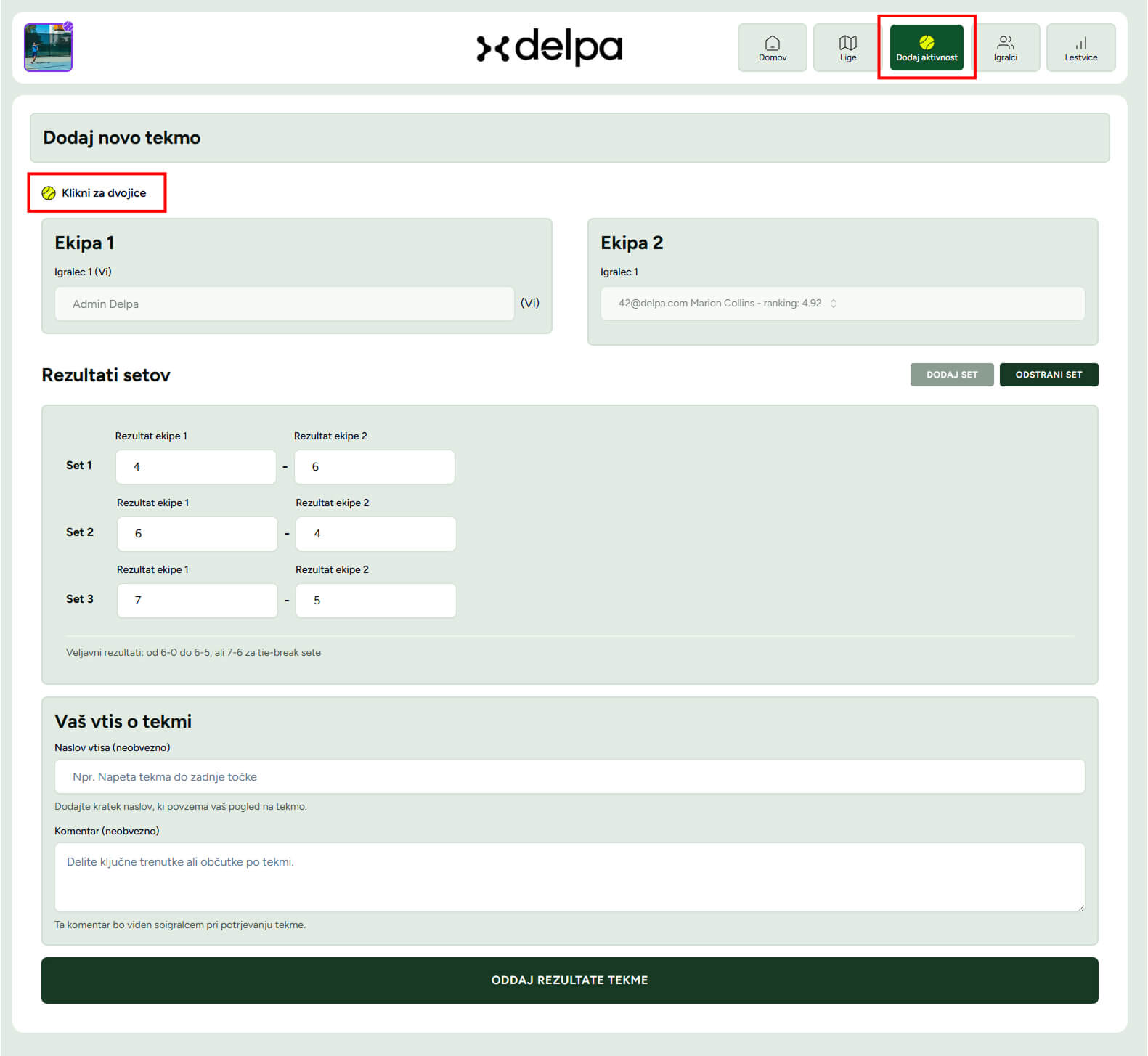
There are two ways to add an activity. The default way for all non-league activities is to choose "Add match" from the main menu and fill out the form. The second way is reserved for league matches inside a specific league.
Activities are not used only for rating updates, but also as your playing journal. Every activity you add contributes to your progress and to a better overview of your game. If you played a match without a winner, for example 1:1, you can still record it as a draw. It will not affect your rating, but it will stay visible on your profile and in the match history for users who follow you.
To add a league activity, you must first be a member of that league. In the list of all leagues, you can find information about the league administrator. If you want to join a league, contact them directly. Once you are a member, you can open "My leagues" from the menu, choose the desired league, and add a result there. For more details, see the section about leagues.
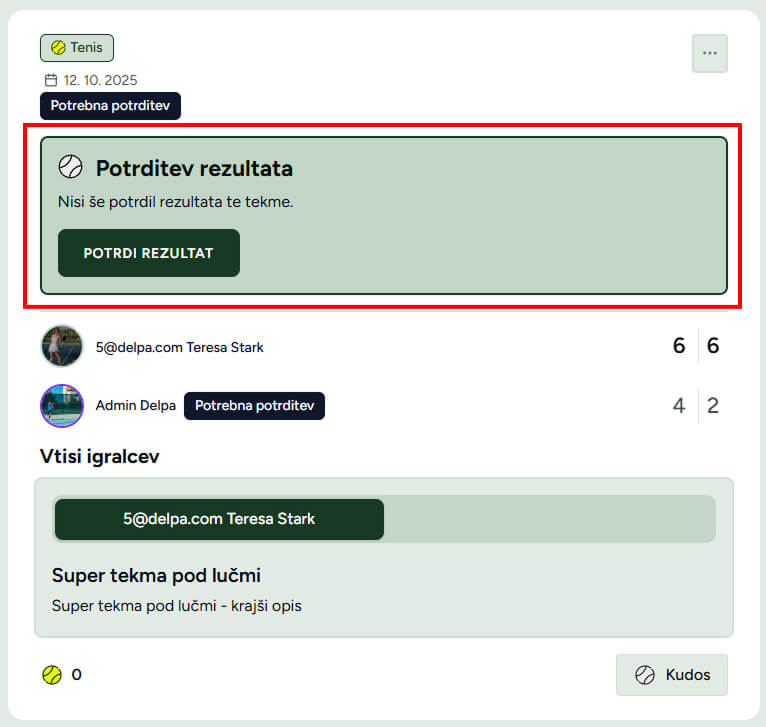
Every activity you add must be confirmed by all players involved. Once you create a match, it will appear on your profile feed as a pending activity. The other players involved will see a notification on that activity and will be able to confirm or reject it. When all players confirm the activity, it becomes confirmed and will affect the rating of everyone involved. If any player rejects it, the activity is removed from the system and will not affect rating. Until the match is confirmed, it is visible only to the players involved.
Delpa activity makes it easy to share your matches and achievements on social networks such as Instagram and Facebook. The goal is to reward your consistency and boost motivation for your progress.
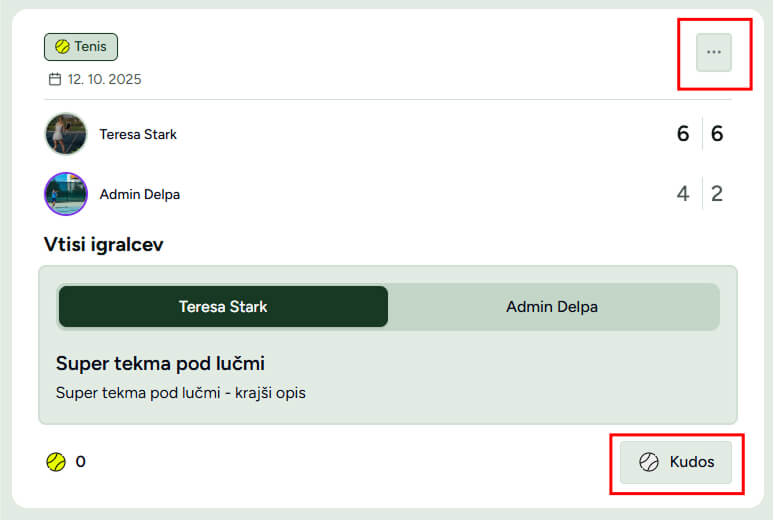
The basic way to share your activity is through the Delpa feed. By following your friends and other players, you stay updated on their activities and they stay updated on yours. Every activity can also receive a like - kudos.
For sharing through a direct link or on Instagram, use the icon in the top right corner of the activity card. It opens a modal with additional sharing options. See the image below.
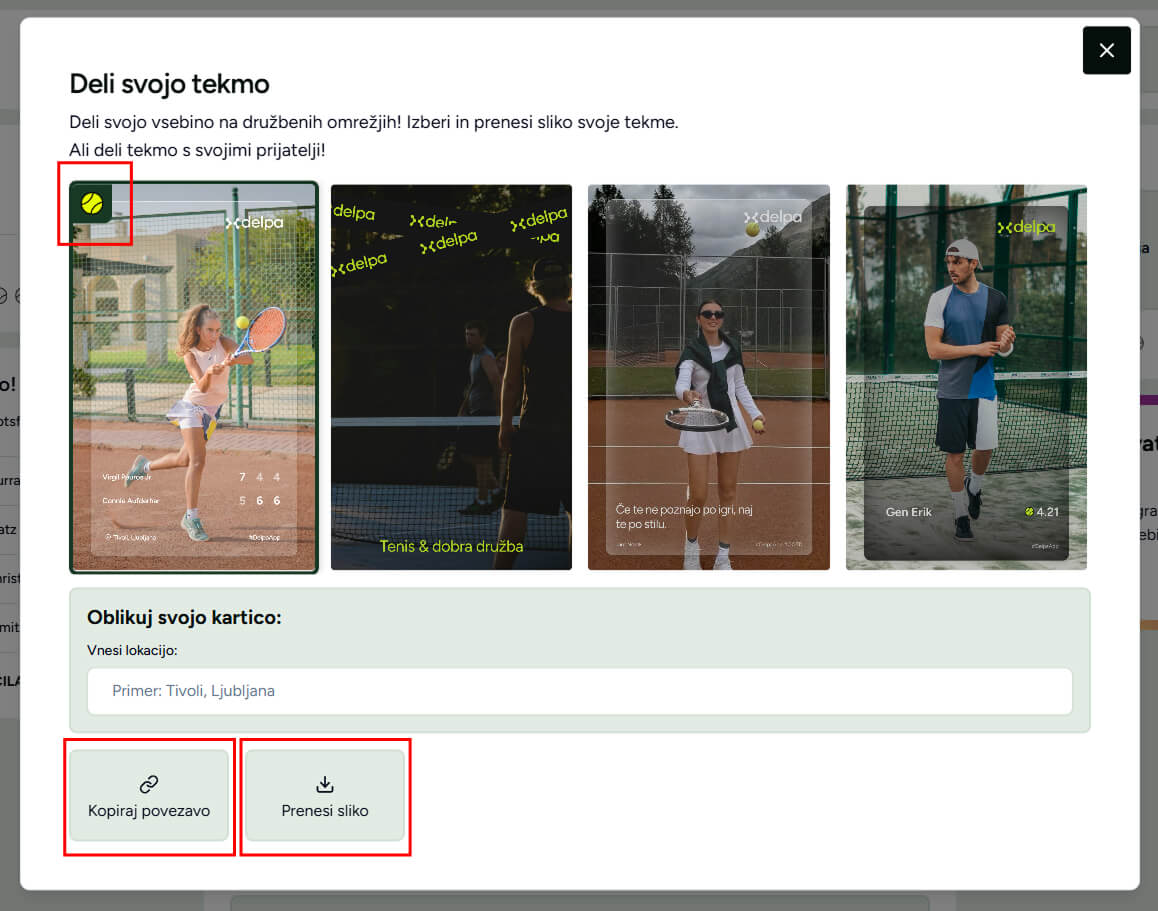
Sharing an activity with a link is very simple. Just copy the link and send it to a friend. If they are a registered Delpa user, they will be able to open your activity directly through that link.
In the pop-up window you can choose between different Delpa cover templates. The ball marker in the top left corner shows the currently selected template, while the images show usage examples.
Some templates also include optional additional fields shown below the template list, for example location or description. After selecting a template and filling in the fields, use the "Download image" button to save it to your phone and then use it in your Instagram story.
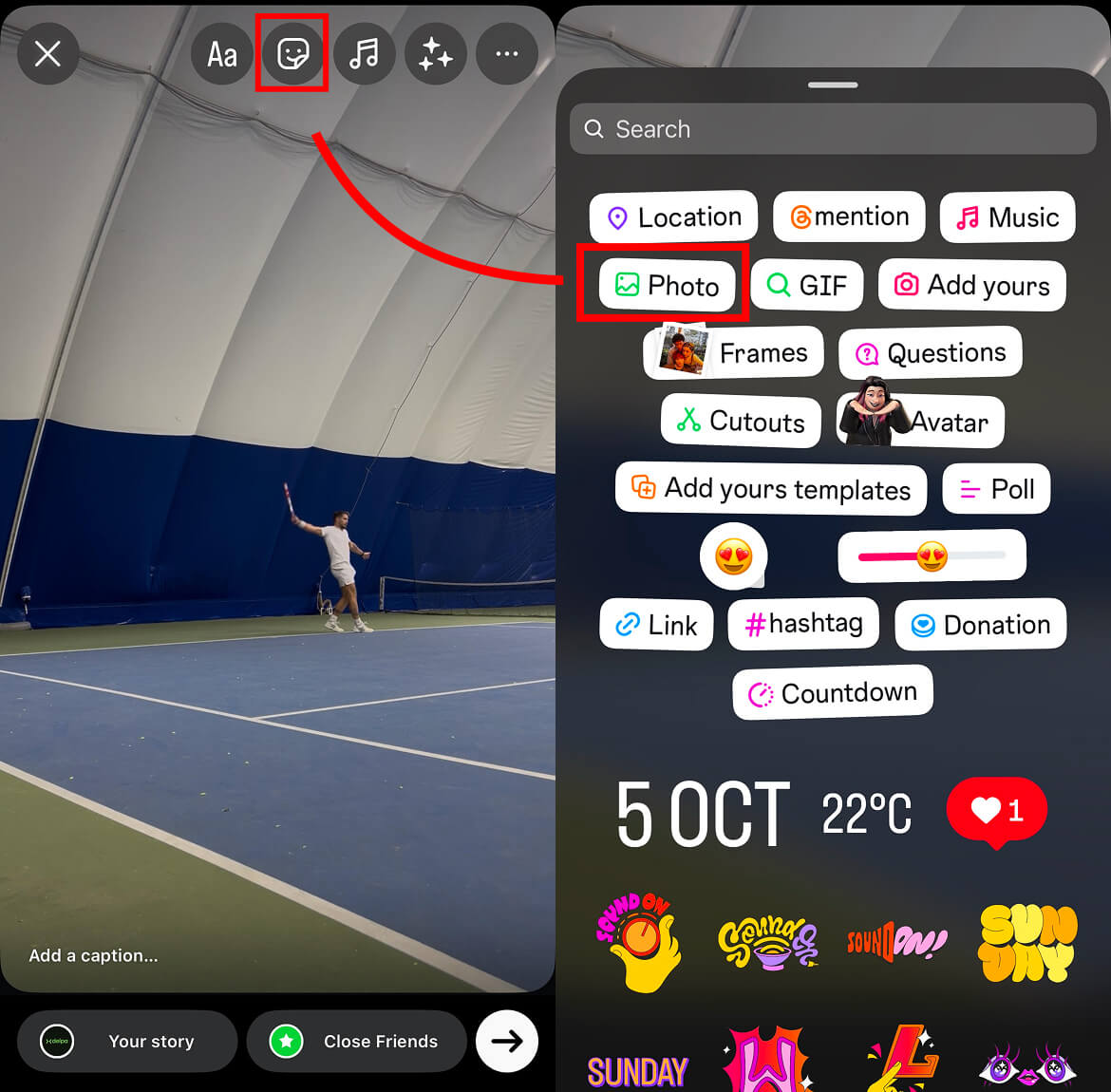
Once the generated cover is saved to your phone, open Instagram and add the image over which you want to place the Delpa template. Do this by opening the sticker or media picker in the story editor and selecting the "Photo" option.
Then choose the downloaded image from your gallery and it will appear on your story.
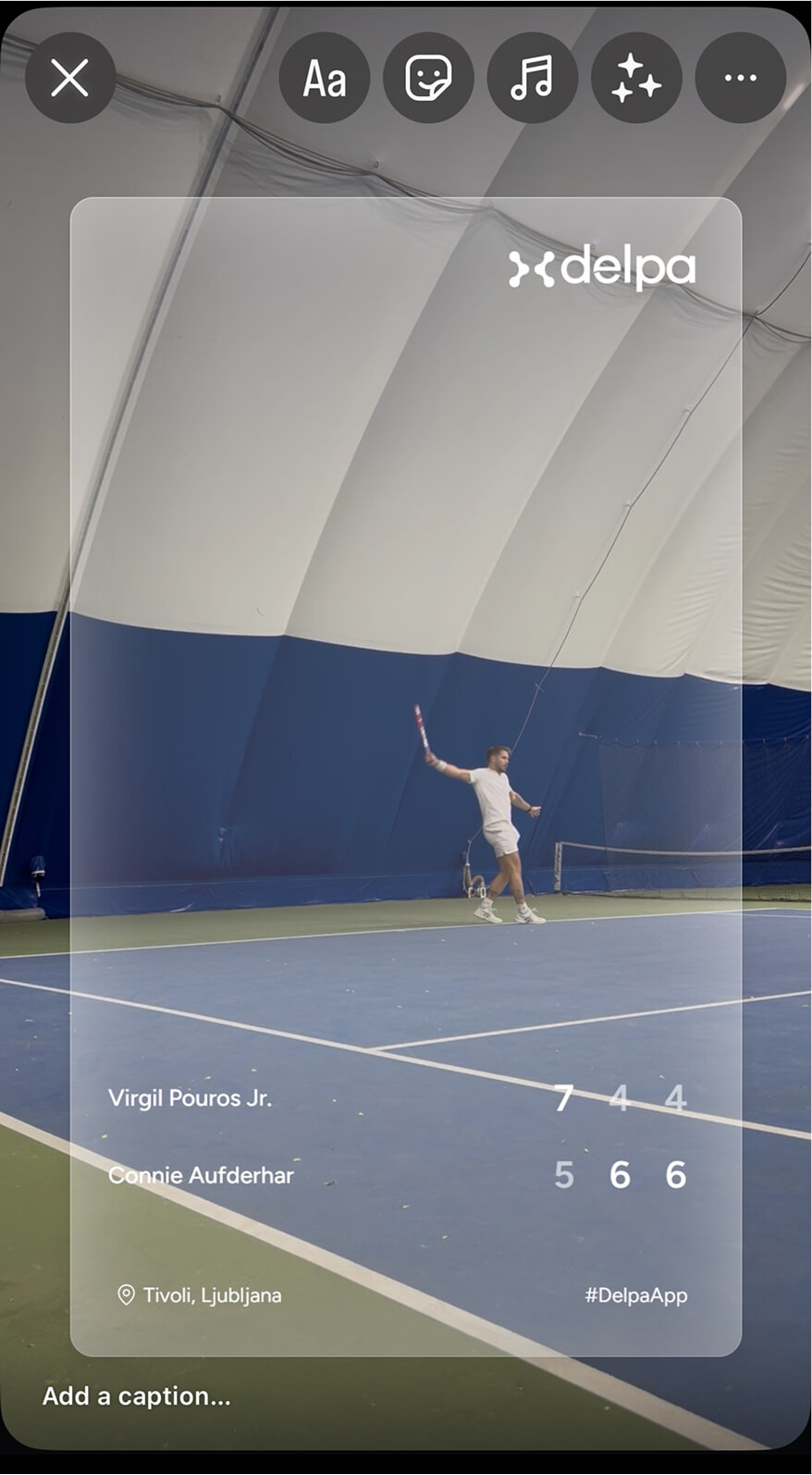
You can resize and move the image freely. You can also add stickers, text, GIFs, and other elements. When you are happy with the final look, publish the story.
The Delpa profile is the main page where you can manage your personal information, settings, and confirm your activities. Here you can see your rating, match results, and league memberships. You can also manage privacy settings and your follower relationships. For the best experience across the platform, make sure your data stays accurate and up to date.
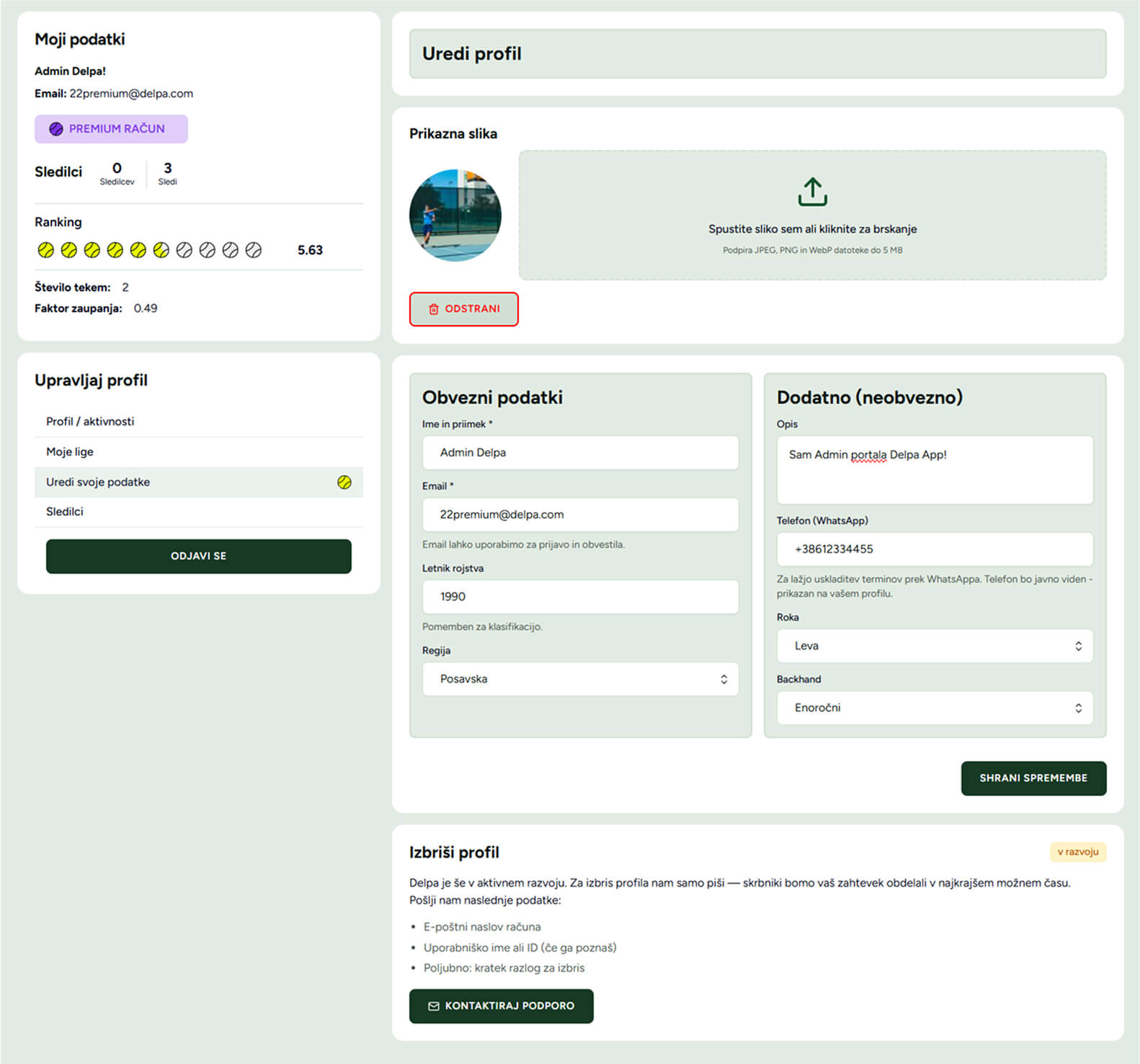
Your account type determines which features are available to you. Basic free users can use all core functionality, while additional modules are reserved for Pro and Premium accounts. Pro users get access to all player and league data inside Delpa App, while the Premium account is intended for users who manage clubs, leagues, and larger player communities. You can read more in the "Delpa accounts" section.
The follower module helps you stay connected with your friends and with other players. If you follow a player, their activities appear in your home feed, so you stay informed about the matches they play. For users with a basic Delpa account, only the last three activities are visible even when they follow someone. Pro and Premium users can access the full activity history of players they follow.
This section gives you an overview of all your activities, split between confirmed and unconfirmed ones. Each activity can be confirmed or rejected. When all participating players confirm the activity, it becomes visible on the home page feed for relevant users.
Delpa leagues are a great way to organize competition between friends, clubs, or a wider player community. Premium users, in addition to advanced platform features, also gain the ability to create and manage leagues.
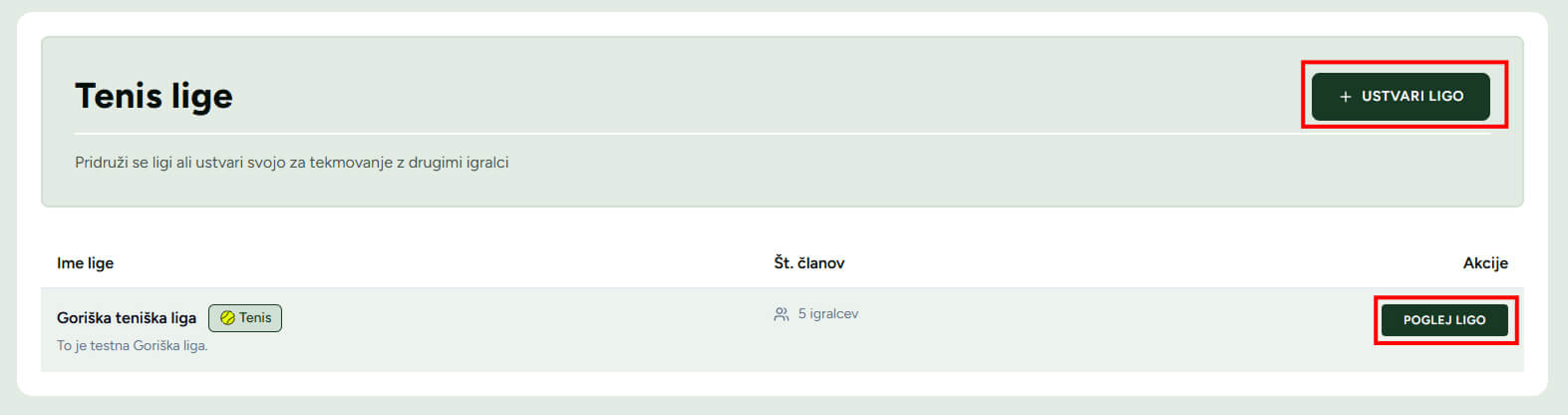
The list of leagues is available through the main menu under "Leagues". There you can see all leagues, including those you participate in. Every league has its own page with current results, match schedule, and standings. Leagues you belong to are also visible on your profile under the "My leagues" section. League standings are visible to all users, while detailed results are available only to league members and users with Pro or Premium accounts.
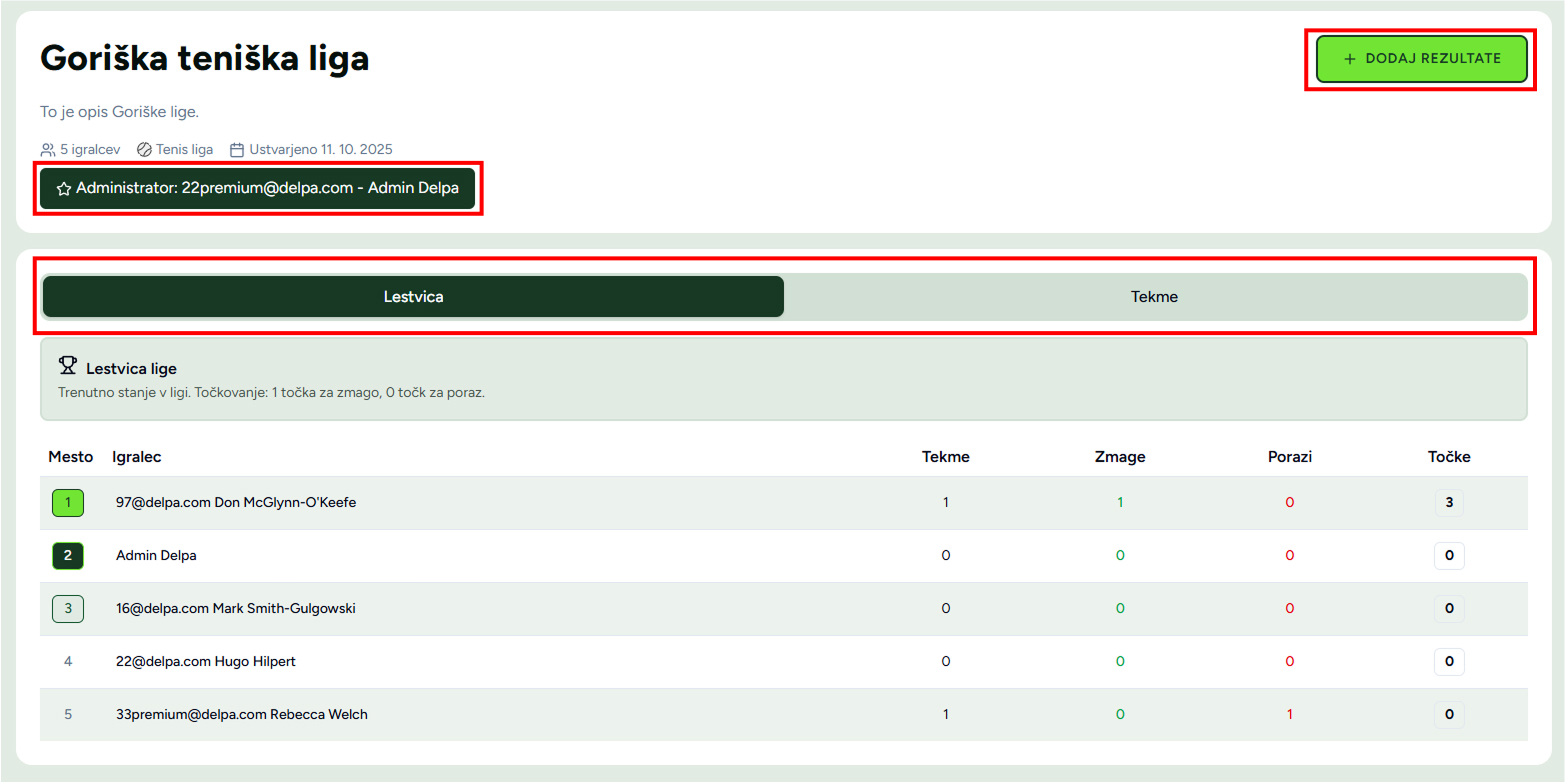
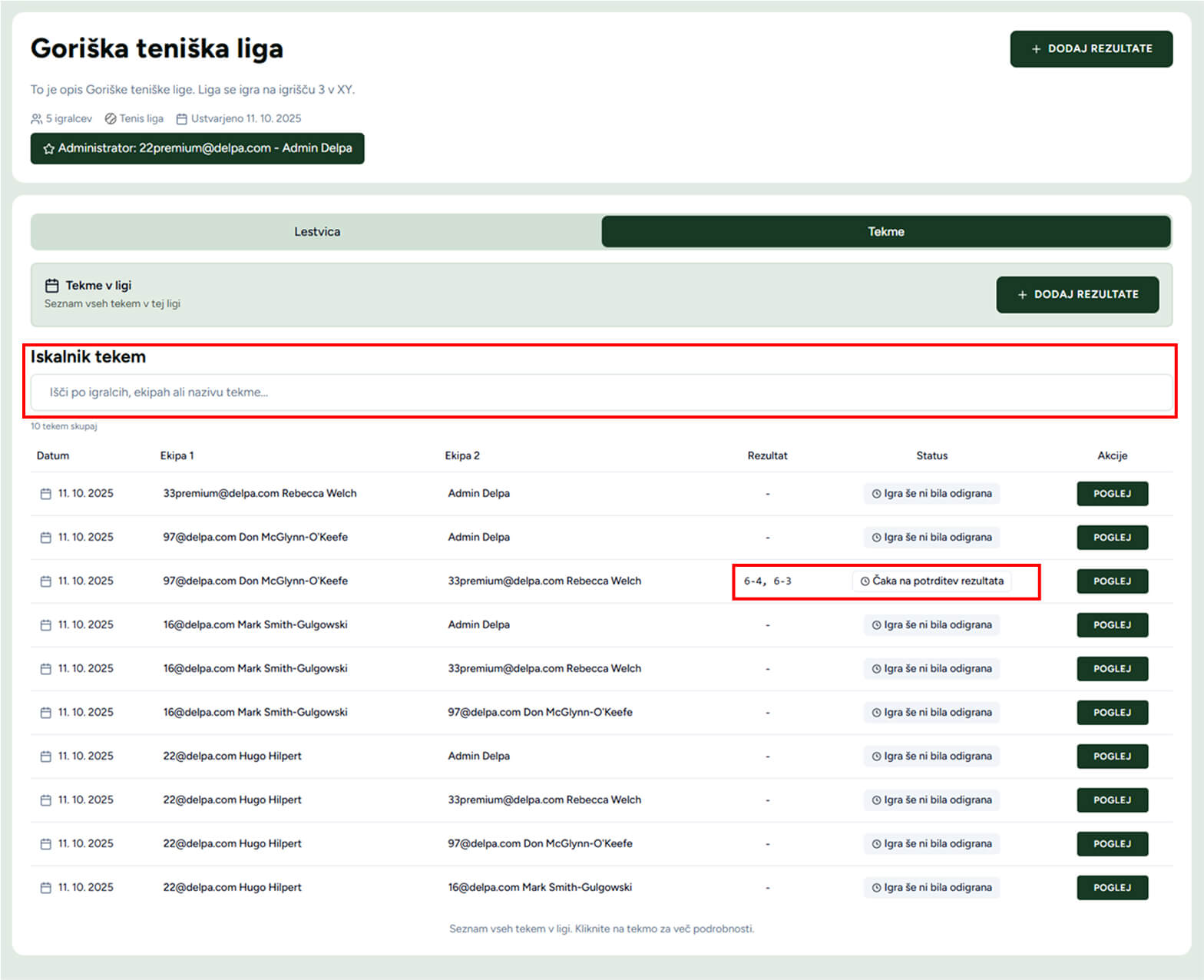
The league schedule is essential for organizing matches and tracking progress. Every league has its own schedule showing both completed and upcoming matches. It is available from the league profile page and helps members stay up to date with league activity. For easier navigation, you can also use the match search tools.
Delpa uses its own 1.0 - 10.0 scale, designed for tennis and padel. Your rating is calculated based on played ranked matches and adjusts after every result. New users start with an initial rating calculated from the onboarding questionnaire. With more matches against different players, the rating gradually approaches your real level.
The confidence factor ranges from 0 to 1 and starts at 0.5. It indicates how reliable or accurate your current rating is. With more matches and more varied opponents, this factor increases. When it reaches 1, your rating changes more slowly and becomes more stable. A lower confidence factor means your rating may still differ from your real level. That is why new players should assess their level as honestly as possible during registration.
Faster in the beginning, when the system is still learning your level, and more slowly later on. Playing against higher-rated opponents improves rating confidence, so feel free to challenge stronger players. A higher confidence factor also means a more meaningful step after each win.
Yes, but the calculation also takes both pairs into account. The impact is shared between both teammates. Doubles matches still influence your confidence factor and your singles rating, so they are definitely worth playing.
If you notice suspicious behavior, for example intentional losing or collusion between opponents, please report it to us at [email protected]. We will review the case and take action if needed.
I have never played before. I hold the racket awkwardly, and I would rather catch the ball than hit it. I do not know the rules yet.
I know a point starts with a serve, but the ball escapes me quickly. I can hit one or two easy shots in a row.
I hold the racket reasonably well and can keep three shots going with a calm ball. I do not yet have real control.
If we rally gently without serving, we can reach four to six slow exchanges together. I know roughly where to stand.
I return slow balls fairly reliably. My serve lands in around every second attempt. I know the basic volley and can sometimes use the wall deliberately.
I can hold six to eight rallies at a moderate pace. I know how to return serve and hit a lob.
I can place the ball left or right and stay in the point even when we keep score. My second serve is light and I still make double faults.
I play with intention: I build points and move to the net. My second serve is reliable.
I can play at a faster pace without large drops in consistency. I vary rhythm, direction, and depth and adapt during the point.
I train or compete regularly, handle long matches, and have my own preferred patterns of play. My first serve gives me an advantage.
I win strong recreational leagues and compete in tournaments. My technique holds under pressure and I can adjust tactics mid-match. I have several years of structured training.
I regularly compete among the best at major domestic events. I train four to six times per week and work with structured coaching.
An international-level competitor, for example ATP or WTA in tennis, or FIP and similar top-level structures in padel.